You can create a complete CBSE question paper with AI in about 10 minutes. Choose the board, class, subject and chapters, set total marks and duration, and let the AI build sections that follow the 2026-27 pattern: 50% competency-based questions, 20% MCQs and 30% short and long answers. Then review, brand and export it as a PDF.
Setting a balanced paper by hand takes hours: matching the blueprint, spreading marks across chapters, mixing difficulty levels and formatting it neatly. This guide shows the faster way, step by step, with a ready Class 10 Science blueprint you can reuse.
What is the CBSE question paper pattern for 2026-27?
CBSE papers for 2026-27 follow the same split used since 2024-25: 50% competency-based questions, 20% MCQs and 30% short and long answer questions. Competency-based questions include case-based, source-based and application questions that test understanding rather than memory.
Class 10 major subjects: 100 marks in total, split into an 80-mark theory paper and 20 marks of internal assessment by the school.
Duration: 3 hours for the 80-mark theory paper.
Choice: internal choice is given in selected questions.
Two board exams: from 2025-26, Class 10 students get two board exam opportunities a year. The question pattern stays the same for both.
What does a Class 10 Science blueprint look like?
A CBSE Class 10 Science paper has 39 questions across five sections, totaling 80 marks. Use this structure as your blueprint when setting a practice, half-yearly or pre-board paper.
Section | Question type | No. of questions | Marks each | Total marks |
|---|---|---|---|---|
A | MCQ and Assertion-Reason | 20 | 1 | 20 |
B | Very short answer | 6 | 2 | 12 |
C | Short answer | 7 | 3 | 21 |
D | Long answer | 3 | 5 | 15 |
E | Case-based / source-based | 3 | 4 | 12 |
Total | 39 | 80 |
Always check the latest sample paper on cbseacademic.nic.in before a board-level paper, because section-wise counts can change slightly between years.
This is the board-exam structure. For a unit test, periodic test or half-yearly exam you can change it freely: in QPaper Labs you set your own total marks, sections, number of questions and marks per question, and the paper summary keeps the totals matched. For example, a 40-mark unit test could use 10 MCQs (1 mark), 5 short answers (2 marks), 4 short answers (3 marks) and 1 case-based question (8 marks).
How do you create a CBSE question paper with AI? (Step by step)
Here is the exact process in QPaper Labs. It works the same way for any class and subject.
Sign in with Google. No password or setup is needed, and the 7-day free trial starts straight away.
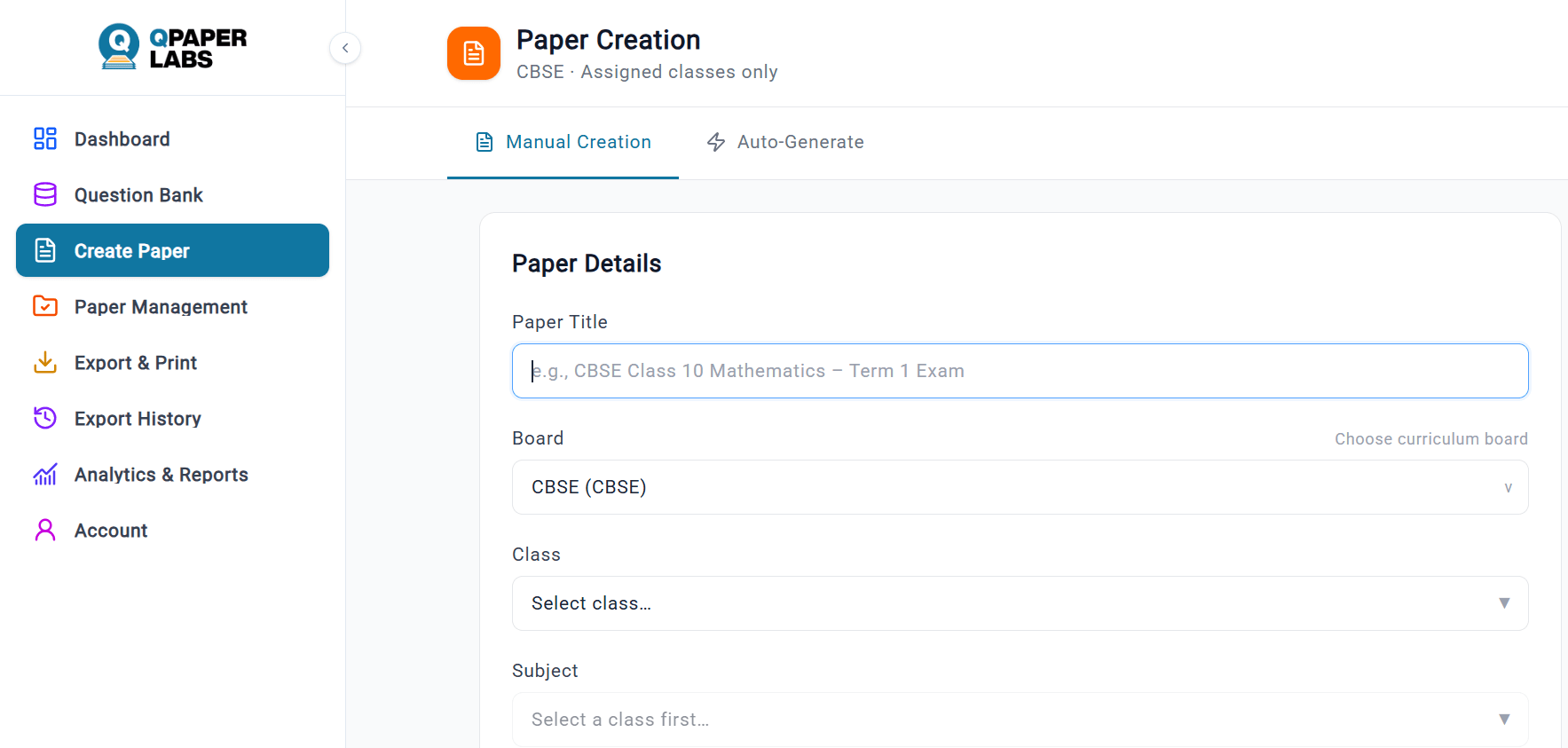
Open Create Paper and choose Auto-Generate. The AI designs the sections and writes every question for you. Use Manual Creation instead if you want to pick each question from your question bank.
Select board, class and subject. For example: CBSE, Class 10, Science.
Pick chapters. Choose only the chapters taught so far for a unit or half-yearly test, or leave it empty to cover the full syllabus for a pre-board.
Set marks, duration and exam type. Enter 80 marks and 180 minutes for a full board-pattern paper, and choose the term or exam type.
Set the difficulty mix. A common split is 30% easy, 50% medium and 20% hard. Adjust it for weaker or stronger classes.
Generate and review. Read every question, replace any you do not like, and check the marks summary. QPaper Labs blocks generation if section marks do not add up to the paper total, so a mismatched paper never reaches students.
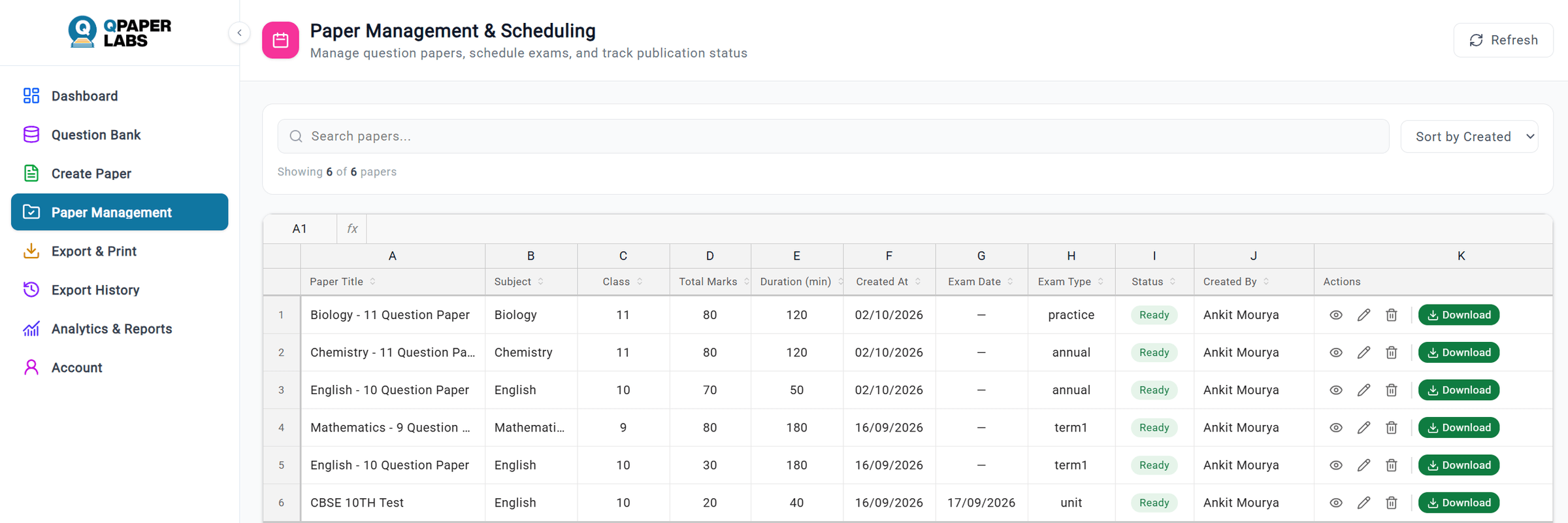
Brand and export. Add your school logo and watermark, pick a Standard, Compact or Detailed template, and download a print-ready PDF. Word, Excel and PNG exports are also available.
How should you check an AI-generated paper before printing?
AI saves time, but the teacher stays the final reviewer. Run this five-point check on every paper:
Syllabus fit: every question is from the chapters you selected and the current rationalised syllabus.
Accuracy: answers, numbers, units and diagrams are correct.
Pattern match: roughly half the marks come from competency-based questions.
Bloom's balance: questions cover Remember, Understand and Apply, with some Analyse and Evaluate for higher scorers.
Language: questions are clear, unambiguous and suitable for the class level.
Manual vs AI question paper: what changes?
Task | Setting by hand | With an AI generator |
|---|---|---|
Writing questions | Typed one by one | Generated in seconds, then edited |
Matching the blueprint | Counted manually | Sections and marks set automatically |
Marks totals | Easy to get wrong | Mismatch is flagged before generation |
Difficulty and Bloom's mix | Judged by feel | Set as a percentage and shown in analytics |
Formatting and branding | Hours in Word | Ready templates with logo and watermark |
Reusing questions | Old files and folders | Saved in a searchable question bank |
Common mistakes to avoid
Using an old pattern with fewer competency-based questions.
Putting all hard questions in one section, which makes the paper feel unfair.
Forgetting internal choice in long-answer questions.
Printing without checking the marks total against the cover page.
Reusing the same paper across sections, which leaks answers between classes.
Frequently asked questions
Can AI make a CBSE question paper? Yes. An AI question paper generator can build a full CBSE paper from your chosen board, class, subject and chapters in a few minutes. A teacher should still review each question for accuracy and syllabus fit before printing.
What percentage of the CBSE 2026-27 paper is competency-based? 50% of the theory paper is competency-based questions. Another 20% is MCQs and the remaining 30% is short and long answer questions. This split has stayed the same since 2024-25.
How many questions are there in the CBSE Class 10 Science paper? The Class 10 Science theory paper has 39 questions in five sections (A to E) for 80 marks, and the exam lasts 3 hours.
Is an AI-generated question paper accurate? Mostly, but not always. AI can make factual or numerical slips, so treat the generated paper as a strong first draft. Check answers, units and diagrams before you print.
Can I add my school logo to the question paper? Yes. In QPaper Labs you upload a logo and a watermark once in Account settings, and they are added to every exported paper.
Is QPaper Labs free? New users get a 7-day free trial that includes AI paper generation, the question bank and PDF export. No credit card is needed to sign in with Google.
Start your first paper today
Pick one upcoming test, open QPaper Labs, and generate your first CBSE paper in the next 10 minutes. Start your 7-day free trial.